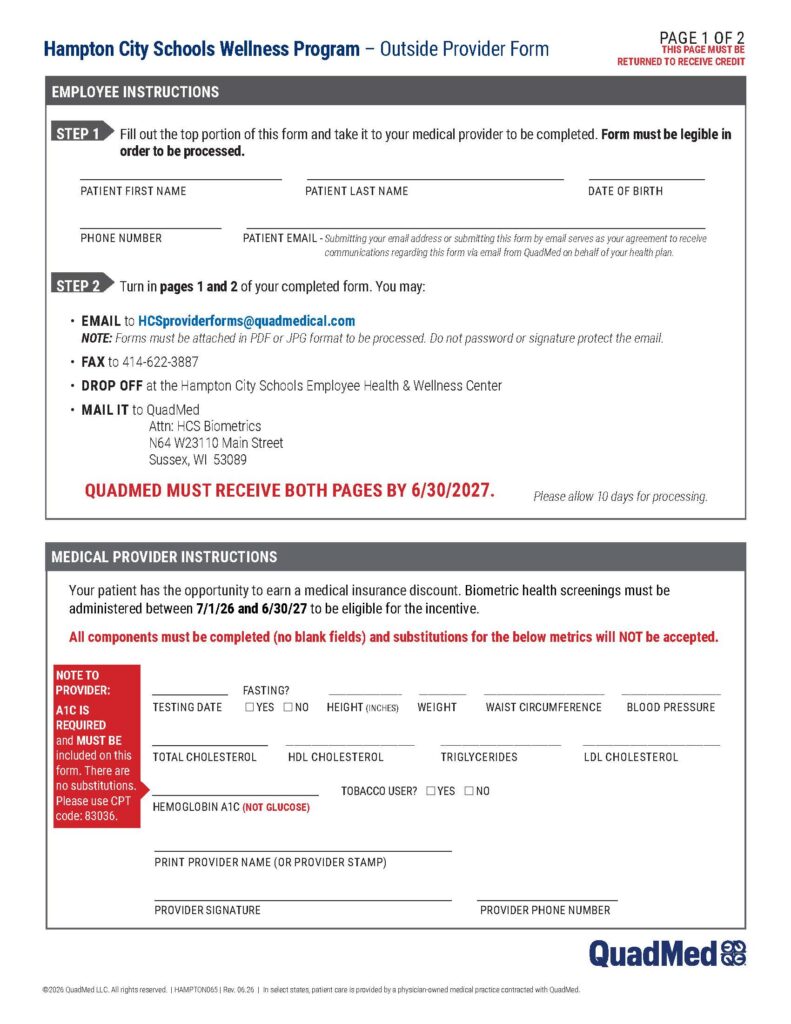
The HCS Wellness Incentive Program is voluntary, but we encourage you to participate. The program provides an opportunity to learn more about your individual health profile and helps you maintain and reach your personal health goals.
All activities will be tracked through Wellness Online, your wellness portal. It is your responsibility to verify all program activities are met and reported by the program deadline.
How to log my activity points?
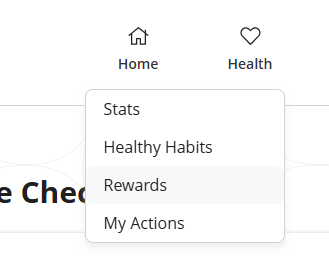
Under the Home menu, select Rewards.
Scroll down to the My Care Checklist section.
Select the activity you need to log under Action.
Enter the completion date and save.
To ensure your activity has been logged, look for the green checkmark.
Wellness Online
Learn about and register for Wellness Online so you can track your wellness activities as part of the incentive program.
Plus, find tips, activities, and tools to help you get active, eat healthier, improve mental health, and more.Â
MyChart allows you to schedule and start a virtual visit with a QuadMed health care provider. It also provides additional features that help you to manage your health completely online.
Click the buttons below to log in or to sign up if you don’t already have an account.